

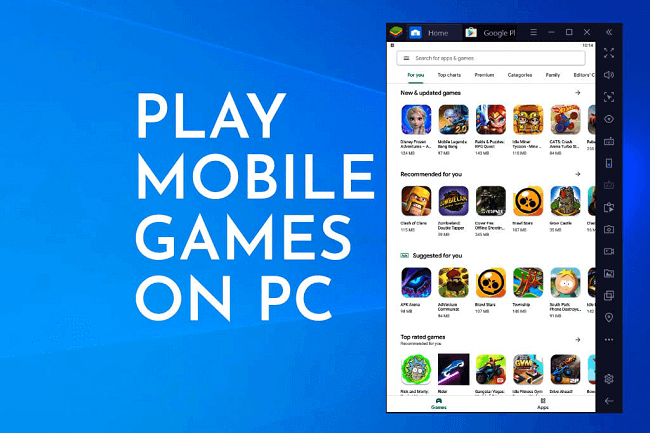
Mobile games on PC have transformed the way players experience their favorite titles. What started as simple time-pass entertainment on smartphones has now evolved into full-scale gaming sessions on desktops and laptops. Playing mobile games on a larger screen offers comfort, clarity, and control that small devices often cannot match.
This shift did not happen overnight. As mobile games became more complex and competitive, players began searching for better ways to enjoy them. PCs offered the perfect solution, combining power with flexibility. Today, millions of gamers worldwide prefer this setup for both casual fun and competitive play.
Why Players Prefer Mobile Gaming on a PC Setup
Smartphones are powerful, but they come with limits. Long gaming sessions can drain batteries, heat devices, and strain the eyes. A PC removes these concerns almost entirely. With a stable power source and larger display, gaming becomes more relaxed and immersive.
Another reason is multitasking. On a PC, players can switch between games, chats, and streams effortlessly. This convenience makes the experience more enjoyable and practical for daily use.
How Emulators Make Mobile Games on PC Possible
Emulators act as a bridge between mobile software and PC hardware. They create a virtual Android environment where games run smoothly on desktops. Modern emulators are optimized to use system resources efficiently, ensuring stability and performance.
By translating mobile instructions into PC-compatible commands, emulators allow seamless gameplay. This technology has matured significantly, making the experience nearly identical to playing on a high-end mobile device.
Performance Benefits You Can Feel Instantly
One of the biggest advantages of PC gaming is performance consistency. PCs handle heat better and maintain stable frame rates. This results in smoother animations and faster response times during gameplay.
Graphics also benefit greatly. Higher resolutions and larger displays reveal details that often go unnoticed on small screens. This enhanced clarity adds depth to the gaming experience.
Popular Emulator Names Trusted by Gamers
Several emulator names are widely trusted for playing mobile games on PC. BlueStacks is one of the most popular choices, known for its user-friendly interface and gaming-focused features. LDPlayer is another favorite, especially among competitive players who value performance stability.
NoxPlayer offers extensive customization, making it ideal for both beginners and advanced users. MEmu Play is also well-regarded for its flexibility and compatibility across a wide range of games. These platforms have built strong reputations within the gaming community.
Competitive Gaming with Mobile Titles on PC
Competitive mobile games demand precision and speed. On a PC, keyboard and mouse controls provide a significant advantage. Custom key mapping allows players to react faster and perform complex actions with ease.
High refresh rate monitors further enhance responsiveness. Many players report noticeable improvements in performance after switching from mobile to PC gameplay.
Casual Gaming Feels More Relaxed on a Big Screen
Not all gamers seek competition. Casual players enjoy mobile games on PC for comfort and relaxation. Puzzle games, simulation titles, and story-driven adventures feel more immersive on a larger display.
Sitting back with a comfortable setup makes long sessions enjoyable without physical strain. This is one of the biggest reasons casual gamers adopt PC-based play.
Controller Support and Custom Controls
Another major advantage is controller support. Many emulators allow players to connect gamepads, creating a console-like experience. This flexibility appeals to gamers who prefer traditional controls over touch screens.
Custom layouts ensure each player can tailor controls to personal comfort. This personalization enhances long-term enjoyment and reduces fatigue.
Visual Enhancements and Graphics Settings
Playing mobile games on PC unlocks advanced visual settings. Resolution scaling, frame rate adjustments, and texture improvements enhance overall quality.
These features allow gamers to balance performance and visuals according to system capabilities, ensuring smooth gameplay without unnecessary strain.
Streaming and Content Creation Made Easier
PC-based gameplay integrates smoothly with streaming and recording software. Content creators can capture high-quality footage without performance drops.
Stable systems ensure consistent streams, making it easier to build an audience and share gaming moments online.
Security and Fair Play in Emulator Gaming
Trusted emulators prioritize user security. They isolate the virtual environment, protecting the host system from potential threats. Regular updates improve stability and address vulnerabilities.
Using official emulator versions ensures fair play, especially in online multiplayer games where integrity matters.
Mobile Games on PC for Low-End and High-End Systems
Emulators are designed to scale across hardware levels. On low-end PCs, users can lower graphics settings for smoother performance. High-end systems unlock maximum visual quality and responsiveness.
This adaptability makes PC gaming accessible to a wide range of players, regardless of budget.
A Real-Life Gaming Transformation
Imagine playing a fast-paced action game on a smartphone. The battery drains quickly, and the device becomes hot. Switching to BlueStacks on a PC changes everything. Gameplay becomes smooth, controls feel precise, and sessions last longer without interruptions.
This simple switch highlights why so many players embrace PC-based mobile gaming.
Community Support and Continuous Updates
Strong community support keeps emulators reliable. Developers actively listen to feedback and release updates that improve compatibility and performance.
Online forums, guides, and tutorials help users optimize settings and solve issues quickly. This shared knowledge strengthens trust and usability.
Choosing the Right Emulator for Your Style
Different players have different needs. Competitive gamers often prefer LDPlayer for performance. Casual players may find NoxPlayer easier to use.
Understanding personal preferences ensures the best experience without unnecessary complexity.
Optimization Tips for Smooth Gameplay
Optimization plays a crucial role in PC gaming. Adjusting CPU allocation, RAM usage, and graphics settings can dramatically improve performance.
Even older systems can deliver enjoyable gameplay with the right configuration.
The Growing Future of Mobile Gaming on PC
The future looks promising as emulator technology continues to evolve. Better virtualization and GPU support will further enhance performance.
Cross-platform integration may soon allow seamless transitions between mobile and PC devices.
Why This Gaming Trend Keeps Expanding
The appeal of PC-based mobile gaming lies in freedom and flexibility. Players enjoy their favorite titles without hardware limitations.
The Mobile games on PC ecosystem continues to grow as more gamers recognize its benefits.
Long-Term Value for Modern Gamers
Investing time in learning emulator settings pays off with better performance and comfort. Enhanced visuals, stable gameplay, and flexible controls create a superior experience.
With trusted platforms like BlueStacks, LDPlayer, NoxPlayer, and MEmu Play, players gain reliable ways to enjoy mobile titles on a bigger, better screen.
Read also:
roblox skin
roblox skins
dallas mavericks vs houston rockets match player stats
milwaukee bucks vs detroit pistons match player stats